

RPL – Recognition of Prior Learning
Here you’ll find instructions for the RPL process and how to create an eRPL application.
Do you have previously acquired competence?
You may have acquired competence through previous education, work, or leisure activities. As a degree student at Humak, you can apply to have this competence recognised as part of your studies. This process is called Recognition of Prior Learning (RPL).
Your competence must correspond to the learning outcomes of your degree programme’s curriculum. Familiarise yourself carefully with your curriculum and identify your competence in relation to the learning outcomes of individual courses. Through the RPL process, competence can be recognised as part of compulsory, alternative, or elective studies. As a result, the number of courses you need to complete may decrease — you won’t have to study what you already know.
The RPL process is described in this image, which contains Humak’s official RPL guidelines. Click the question marks in the image to explore the content in more detail. You can also listen to the content of the text boxes that open from the question marks by selecting your preferred voice and language. If needed, click the Fullscreen button at the bottom of the image to view it in full size.
The following Humak courses cannot be recognised through RPL:
– Career Planning 1, 3 cr ja Career Planning 2, 2 cr
– Study skills and digital competencies, 5 cr
– Community educators’ professional competencies, 10 cr
– Approaches of Research-based development, 5 cr
– Thesis, 15 cr
RPL timeline
Applications for competence acquired before starting your studies must be submitted during the 1st semester, by 30 November, or by 30 April. Students may also apply for recognition of higher education studies completed within the past 10 years throughout their degree. Other competence, such as work experience, can only be recognised through an eRPL application submitted at the start of studies. Competence acquired during studies can be recognised through the work-based learning process.
eRPL applications are reviewed within one month of submission. An application may be approved in full, approved in part, or additional evidence may be requested. A returned eRPL application may be rejected after four months if the student has not completed it by then. This is defined in Humak’s degree regulations.
If you are dissatisfied with an RPL decision, you have the right to submit a request for rectification within 14 days of being notified of the decision. The date of approval is the same as the date of notification. Submit your free-form request for rectification to your PSP coach or language teacher.
RPL guidelines for language studies
Language studies can be recognised on the basis of:
A) language studies completed at other higher education institutions or universities
B) competence acquired through non-formal education
The accreditation figures for formal learning are based on the certificates issued by the educational institutions. Formal language studies may need to be supplemented by examinations and/or assignments required by the Humak professional language courses.
If a student believes that their informal language skills meet the objectives set by Humak, they can prove their language skills either by completing the Humak course assignments and course examinations or by compiling a portfolio of their previous competence. The portfolio is presented to the language teacher, who will tell the student what will be accepted. The student then applies for eRPL and addresses it to the language teacher. All eRPL applications for languages are registered by the language teacher.
A) The RPL procedure for language skills acquired in formal education and training
The following competences are accepted as a substitute for language studies included in the degree at Humak:
- Foreign language and second native language studies of equivalent level, content, and scope completed at another university or UAS may be accepted as such for the language skills course.
- A university or higher education degree in English obtained abroad may be substituted for the first foreign language (English) course (5 ECTS). 25 credits of basic studies in English philology can be substituted for the first foreign language (English) course (5 ECTS). Mastery of the language skills required for the profession is demonstrated by participation in the examinations for the course(s).
- 25 credits of basic studies in Nordic languages may be substituted for a second home language (5 ECTS). Professional language competence is demonstrated by participation in the course examinations; both oral and written proficiency must be demonstrated.
- The second national language examination/children’s state administration language examination (‘civil service examination’) for a member of the State Language Examination Board must be supplemented by the completion of the required coursework and participation in the coursework examinations; both oral and written proficiency must be demonstrated.
- In the case of the General Certificate of Language Competence (CCL), a foreign language or a second indigenous language at level 3 or above may be supplemented by the completion of the required coursework and participation in the course examinations. In the second indigenous language, both oral and written proficiency must be demonstrated.
- Language courses (in a foreign language and/or in a second national language) included in UAS degrees, university language courses and Erasmus intensive language courses as part of international exchange programmes may, at the discretion of the language teacher, be accepted as elective courses and language courses to supplement professional vocabulary, e.g. by completing coursework assignments and taking coursework examinations.
- The language examinations and foreign language tests (e.g. Cambridge, TOEFL) included in the VET degrees are not directly accepted as substitutes, but must be supplemented by the student’s professional language skills through the completion of coursework and participation in coursework examinations.
- Less common foreign language studies completed at another university or UAS may be accepted as elective studies. However, the courses to be accepted do not primarily include the basic courses in the various languages, but rather a broader range of courses (basic + advanced) is recommended.
- Language courses taken at a work, civic, or general education college do not count towards ECTS credits at Humak unless they are at university/UAS level.
B) The RPL procedure for language skills acquired in non-formal education and training
Demonstration of competence acquired through work or leisure activities and life experience:
the student compiles a portfolio of their previous knowledge, including evidence of language skills (e.g. CV, job application(s), work certificates, texts/documents written in the language at work, etc.) and includes a self-assessment based on the European Framework of Reference for Languages (EFR) proficiency scales, the portfolio is presented orally in the language concerned and assessed numerically (in particular second language proficiency, both oral and written); the marks are Satisfactory/Good for second language proficiency, and Satisfactory/Good/Excellent for foreign language proficiency.
the student completes the required coursework assignments and coursework examinations (both oral and written assignments and examinations); performance is assessed numerically (in particular second home language proficiency, both oral and written); marks are Satisfactory/Good in the second national language and Satisfactory/Good/Excellent in foreign language or
RPL guidelines for military service and Scout training
Military service can be recognised in the following bachelor’s degree programmes: Bachelor of Culture and Arts and Community Educator (UAS):
- AUK: 3 cr included in elective studies under the title Leadership Skills
- RUK: 4 cr included in elective studies under the title Leadership Skills
This does not apply to master’s degree programmes.
Scout training can be recognised in the Community Educator (BA) degree programme according to the table below. Recognition requires a transcript of Scout credits. The competence is assessed in the RPL process under non-formal education.
| Scout training and scope | Course name and scope recognised through Scout training |
|---|---|
| Scout Leader Basic Training, 7 cr | 5 cr included in elective studies AND a demonstration of level 6 competence |
| Coach Training, 2 cr | 1 cr included in elective studies, plus a demonstration of level 6 competence |
| Training Supervisor Training, 3 cr | 2 cr included in elective studies, plus a demonstration of level 6 competence |
| Scout Trainer Training, 2 cr | 1 cr included in elective studies, plus a demonstration of level 6 competence |
| Scout Leader Advanced Training, 25 cr | 15 cr included in elective studies AND a demonstration of level 6 competence |
How does the eRPL tool work?
RPL applications are submitted using the eRPL (eAHOT in Finnish) tool in Peppi. Before submitting an eRPL application, you must attend a coaching discussion with your coach and familiarise yourself with the different stages and principles of the RPL process.
Previously acquired studies or competence can replace a course in the student’s PSP. If no corresponding course is found in the PSP, the previously acquired study or competence is included — i.e. brought in as it is, typically as elective studies. eRPL is an electronic application process in which you submit an application using the eRPL tool in Peppi. The application is processed in the same system by the PSP coach or language teacher.
TheeRPL application process in brief
- The eRPL application consists of basic information, completion places, and application sections.
- When completing the eRPL application, check that your basic information is correct and record the date of your previous PSP discussion.
- Add all the completion places where you have acquired the competence you wish to have recognised. A completion place can be one of the following: an educational institution, work experience, or other (e.g. leisure activities). Always attach a certificate.
- Complete the application sections (studies or competences in the eAHOT tool) by selecting whether you are applying for replacements and/or inclusions. Record all previously acquired competence in the same application. Please note that this must have been agreed upon in a PSP discussion before submitting the application.
- One application can consist of several sections (1 section = 1 course). For example, if you are applying for recognition of two courses, your application will consist of two sections.
- Send the application to your PSP coach or language teacher if the application concerns RPL of language studies. Complete the application if it is returned to you for completion.
- The application is processed. If required, you will demonstrate your competence according to the decision of the processor. This is recorded in the Agreement Bank in the Peppi Student Desktop.
- You will receive email notifications about the different stages of the application. See also the message traffic related to the eRPL service.
Please note that if you need help completing the eRPL application, contact your PSP coach in the first instance. For technical support, contact peppi@humak.fi.
Submitting an application
The eRPL — Recognition of Prior Learning section opens from the top bar of Peppi’s Student’s Desktop.
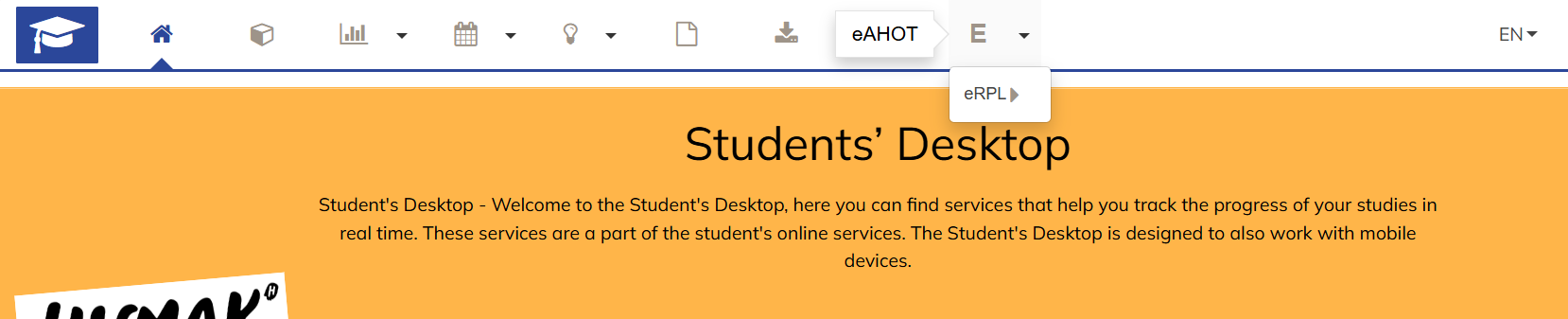
Click the “New application” button. First check that the basic information at the top is correct. Enter the PSP discussion details and click the “Save” button.
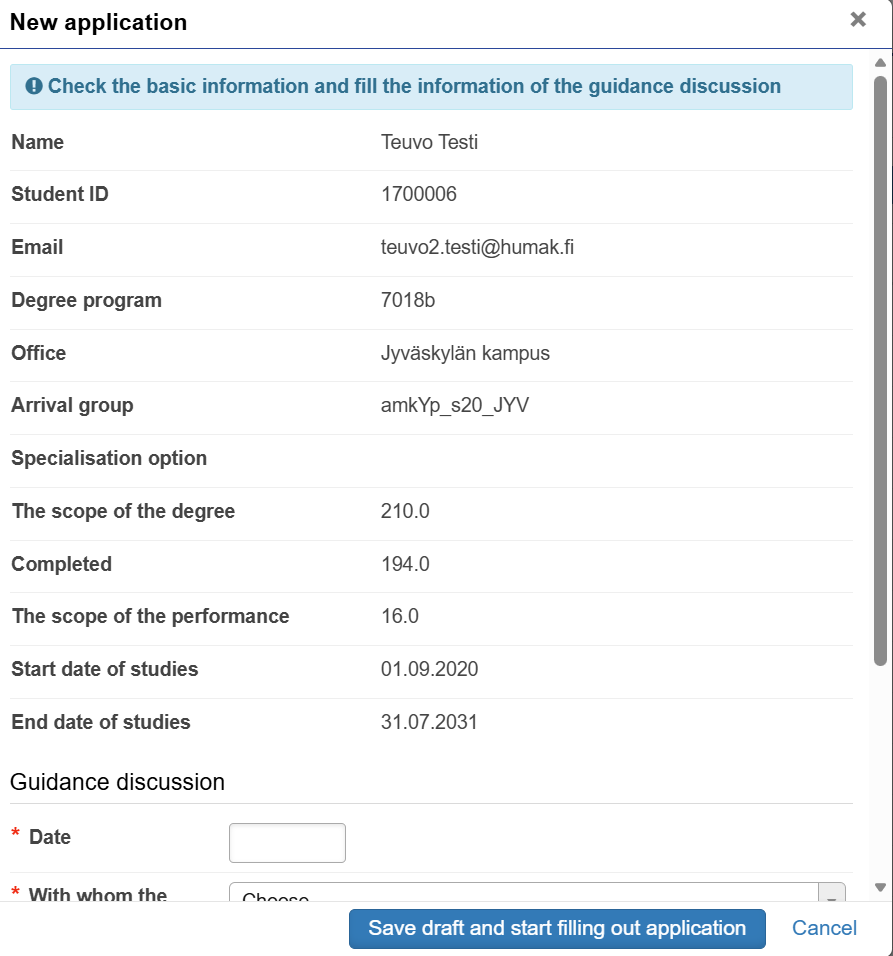
New Application
The application remains in draft status until you submit it using the “Submit application” button. You can continue working on the application later if you do not submit it. You can also delete the application by clicking the “Cancel” button.
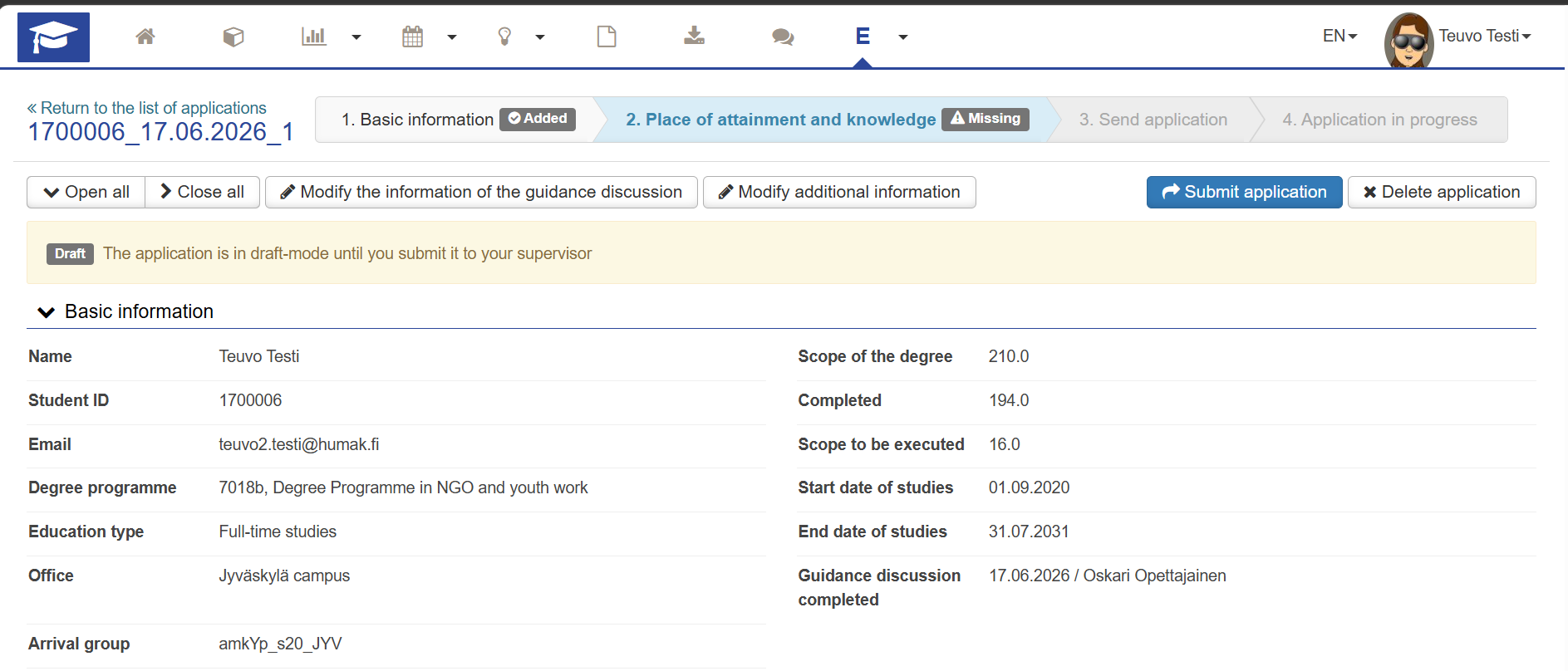
At this stage, you add all the places of performance where you have acquired the competence you wish to have recognised in your RPL application. Select the type of place of performance: Educational institute, Work experience, or Other (e.g. leisure activities).
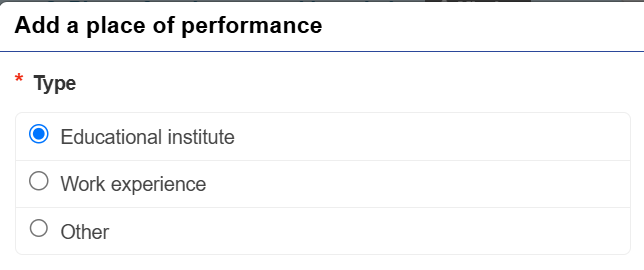
Educational institute
- In the “Place of performance type” field, select the appropriate educational institution (e.g. another university of applied sciences). If you are applying for recognition of studies completed previously at Humak, select “Own UAS (Humak)” as the place of performance type and then select “Humanistinen ammattikorkeakoulu” from the “Place of performance” menu (note: only this option is shown). If the place of performance cannot be found in the dropdown menu, tick “Place of performance not found in the list” and enter the name in the fields that appear, in both Finnish and English. Please be careful with the spelling of the English name (e.g. nouns begin with a capital letter). In the “Name of programme” field, you can enter, for example, Open UAS studies, Degree Programme in Communications, etc. In the “Description” field, you can enter additional information useful for the processor.
- Record as precisely as possible in the “Description of competence acquired in relation to learning outcomes” field, so that the processor has sufficient information to make a decision.
- Add a certificate or transcript of records as an attachment using the “Select files” button. Attachments can be, for example, PDF or image files. Please note: an attachment is mandatory and the application cannot be submitted without one.
You can transfer completion records from studies completed at other higher education institutions to Humak by obtaining a link from the My Studyinfo service and adding the link to the eRPL application in Peppi.
Work experience or Other
- In the “Place of performance type” field, select the “Informal Education” option. Tick “The place of performance cannot be found in the menu” and enter the name in the fields that appear, in both Finnish and English. In the “Description” field, you can enter additional information useful for the processor about your workplace or leisure activities.
- Record as precisely as possible in the “The competences acquired compared to the competence goals” field, so that the processor has sufficient information to make a decision.
- Add an attachment, e.g. an employment certificate, using the “Choose files” button. The maximum size of a single attachment is 64 MB. Attachments can be, for example, PDF or image files. Please note: an attachment is mandatory and the application cannot be submitted without one.
- Remember to add all places of performance where you have acquired previously acquired competence that you wish to have recognised to the RPL application.
Apply for recognition for the full scope of the course. The coach will assess whether your competence is sufficient to replace the entire course. Only higher education studies completed less than 10 years ago can be recognised at Humak.
If the coach determines that your competence is not sufficient to cover the full scope of the course, they may require a demonstration of competence. The demonstration of competence is agreed upon in the agreements section of the RPL application.
In addition to the application, you can see in the Agreement Bank what competence you still need to demonstrate to complete the course. You can also see agreements linked to a course in your PSP. The course will not appear as a completion in your transcript of records until the demonstration has been completed and the course has been recorded as fully completed.

Once you have completed the application, you can review the information you have saved. At this stage, you can still edit the information if needed, either using the “Edit” button or by clicking the pencil symbol. Clicking “Submit application” will send the information to your PSP coach or language teacher. After this, you can no longer edit the application, but you can still view its details. You can monitor the status of your application from the “eRPL — Recognition of Prior Learning” menu on the Student Desktop.

Returned application
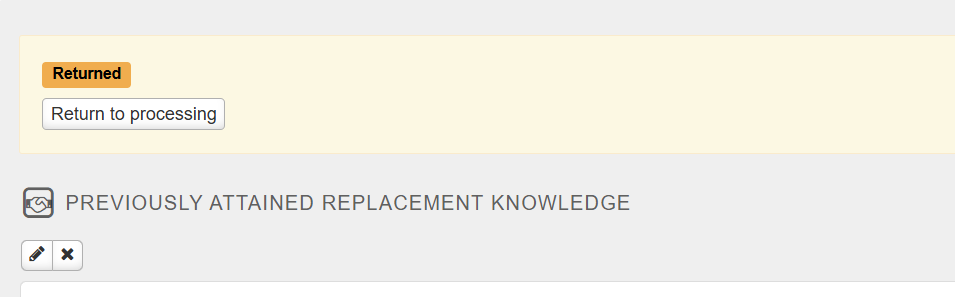
Once you have submitted your application for processing, you can no longer edit it. If your PSP coach or language teacher returns the application, you can edit it. A returned application will appear in eRPL as yellow “Returned” box.
Completing a returned application
If your application had multiple sections, check which sections have been returned for completion. This information is shown with a correction prompt, as shown in the image below. You can access editing mode using the pencil symbol.
Once you have made the necessary edits, click Return to processing, which will send your application back to the processor for approval.
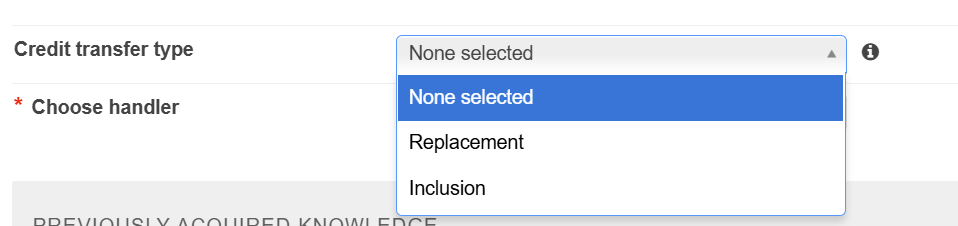
Changing the credit transfer type
You can change the credit transfer type from the recognition type dropdown menu.
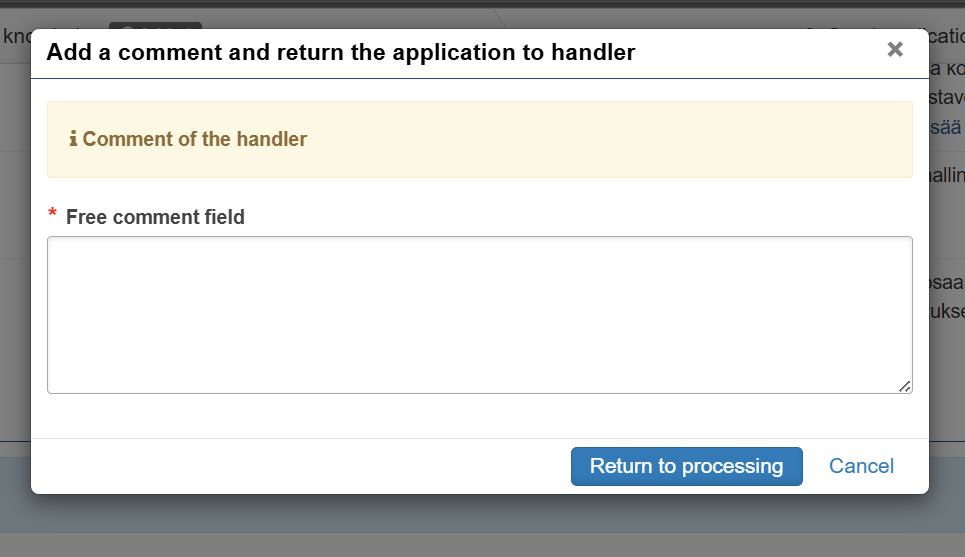
Returning the application and adding a comment if desired
Your application will only be returned to your PSP coach or language teacher once you click the “Return to processing” button. At this point, you can also write a message regarding the completion or correction:
Other functions related to the application process
Tracking the progress of your application
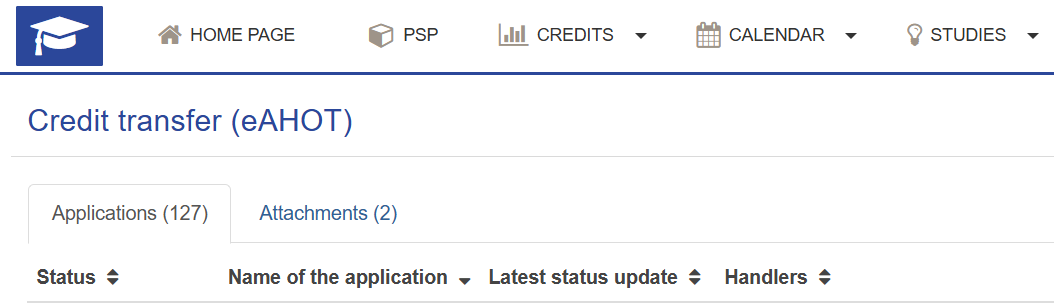
You will receive emails about your application. You can also track the progress of your application in eRPL. You can see all your applications in eRPL as shown in the image below (if you have submitted multiple applications).
You can sort the column information in ascending or descending order by clicking the column name.
Decisions
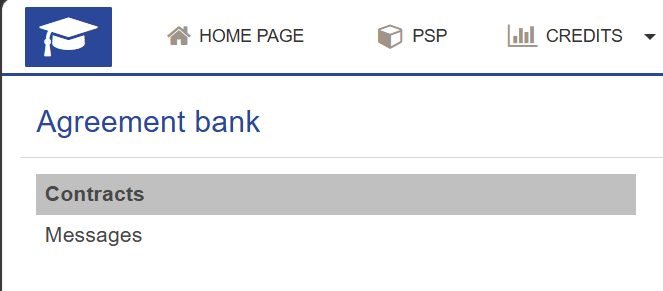
If required, you will demonstrate your competence according to the processor’s decision. You can see the decision in the Agreement Bank (access the Agreement Bank from the top bar of the Student Desktop). Please note that a decision approving the recognition you applied for may also require you to demonstrate additional competence separately in an agreed manner. You can see the full details of the agreement.
If recognition is approved in part, the processor will record an agreement in the Agreement Bank. The agreement specifies what competence has been recognised and what you still need to demonstrate. The Agreement Bank has “Agreements” and “Messages” views (you can switch between these using the links on the left-hand side). Agreements are also visible in the Messages tab of your PSP.
Email notifications are sent to the student at the following stages of the application process.
When your application is returned to you
Subject: RPL application returned for completion. Complete the information for course X (X = course code)
Sender: noreply@humak.fi
The message content is of the following type:
Complete the information for course X (X = course code). First name Last name requests the following change: XXX (First name Last name is the processor who has returned this part of the application to the student; XXX is the processor’s comment message)
Complete the missing information in your returned application in the eRPL service (eRPL — RECOGNITION OF PRIOR LEARNING on the Peppi Student Desktop). Open the application for editing by clicking the “Edit” button. You can edit an application section or place of performance using the pencil icons. Make the necessary changes and save. After making the changes, click “Return to processing”. If you wish, write a message to the processor and click “Return to processing”.
When a decision is made on your application
Subject: RPL application for course X has been processed (X is the course code)
Sender: noreply@humak.fi
The message content is of the following type:
Your RPL application has been processed. Studies: Y (Y is the course name). Course code: X (X is the course code). Decision: Approved (or another decision) Message related to the decision: Z (Z is the comment message added by the decision-maker) Decision made by: First name Last name (First name Last name is the name of the person who made the decision)
Please note: a decision being made does not yet mean that the recognition is visible in the student’s PSP — the recognition must still be separately saved by the decision-maker.
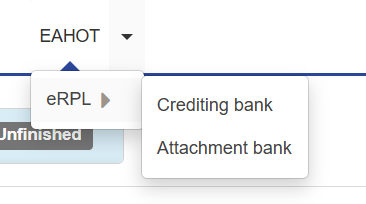
Peppi has a Crediting bank feature. In the Crediting bank, you can search for what kind of prior competence has previously been recognised in different degree programmes. Personal student data is not stored in the bank. You can access the Crediting bank by selecting eRPL from the top bar of the Student Desktop and then selecting Crediting bank from the menu that opens. On the page, you can search for recognitions using various search criteria.
Peppi allows you to save documents related to eRPL applications in the Attachment bank. You can access the Attachment bank by selecting eRPL from the top bar of the Student Desktop and then selecting Attachment bank from the menu that opens. You can add new attachments using the Add attachments button. If an attachment is already linked to an application, you can view the application details by clicking the info button in front of the file name. The details will open in a new pop-up window. If you have added a file directly to the bank, the info button will not appear on its row. Please remember to add the attachment to your application under Places of performance — simply adding an attachment to the Attachment bank is not sufficient.
Please note that if you need help completing the eRPL application, contact your PSP coach in the first instance. For technical support, contact peppi@humak.fi.